PR lists
Give each promoter their own link, see which orders they bring and assign a promoter to cash desk sales.
A PR list is a name and a link. Whoever buys through that link stays tied to the list, and orders and analytics show how many customers each promoter brought. What Festivio offers people who run parties and nights out is on Festivio for organizers.
Create a PR list
- Open Settings, then PR lists.
- Press Create PR list.
- In Name type the name of the promoter or the group, for example "Giacomo's list".
- Link fills in from the name as you type. It is added to the event link as
?pr=giacomoand takes only lowercase letters, numbers and hyphens. - Press Save.
Each list has a link different from the others in your organization. A list belongs to the organization, not to one event: the same list works in every event where you turn it on. In the list, each one shows its ?pr= and how many events it is active in.
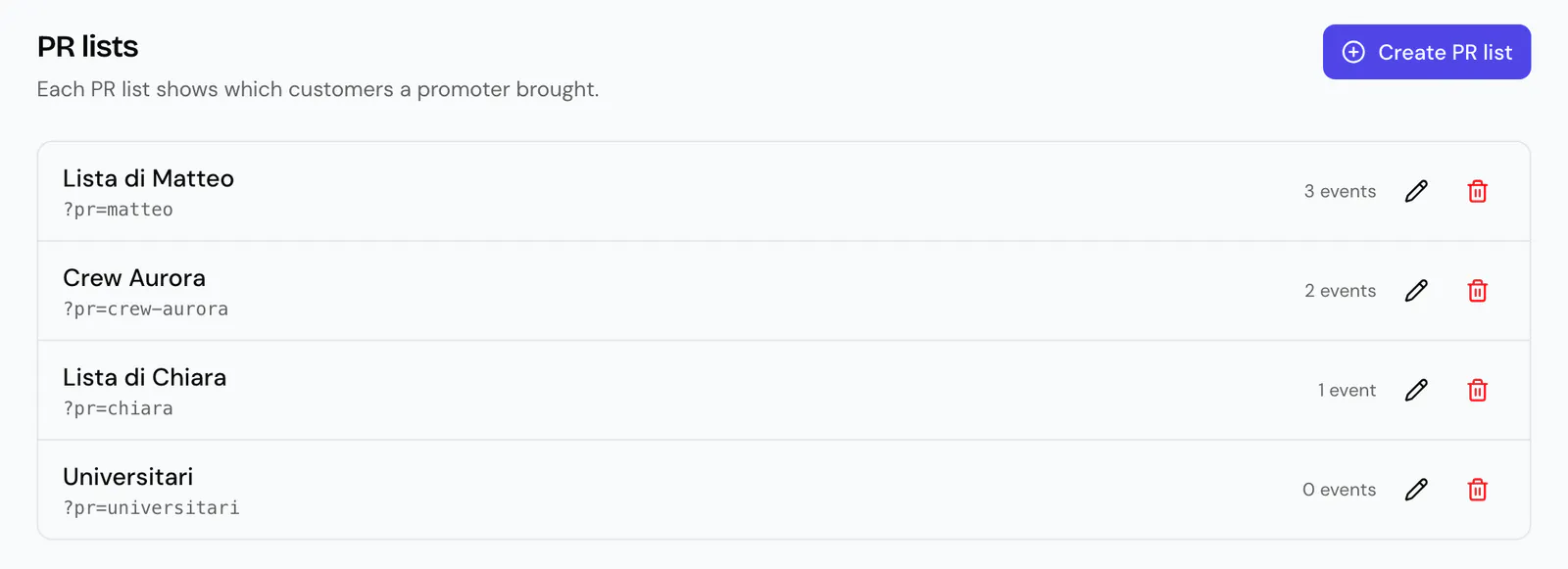
The pencil edits the name and the link. The bin deletes the list: it is removed from every event, and the orders it brought are left without a promoter.
Turn lists on for an event
A new list applies to no event until you pick it.
- Open the event. The Event overview opens.
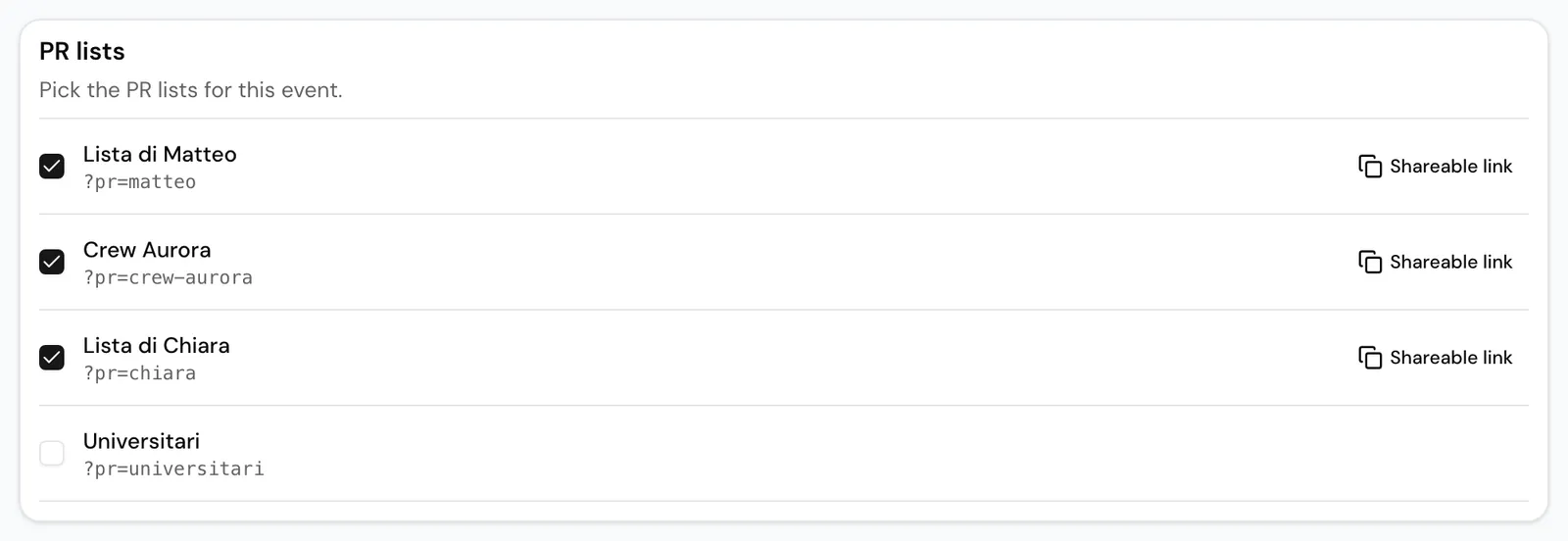
- In the PR lists card, tick the lists for this event.
- Press Save PR lists.
When you duplicate an event, the copy has the same PR lists.
In the event's share kit, Links for PR lists takes you to this card.
The promoter's link
Next to each ticked list, Shareable link copies the event link with the promoter in it, for example festivio.it/en/events/halloween-party?pr=giacomo.
Whoever opens the link finds that promoter already chosen when they buy. The browser remembers it while that tab stays open. If they open another promoter's link in the same tab, the last one counts.
A promoter in the link that is not active for the event is ignored, and the order has no promoter.
What the buyer sees
If the event has at least one active list, the order summary has the row Invited by a promoter? with Choose. The buyer picks the promoter from the event's lists, or No one.
Someone who arrives through a promoter's link sees Promoter: followed by the list's name, and can change it with Change.
After paying, the buyer can no longer change the promoter. You can change it on the order, see below.
What you see
On the event's Analytics page, Marketing view:
- PR lists shows Orders, Net sales and Tickets for each list, then the part of the event's net sales that came through the lists and the list with the highest average order. It counts completed orders, net of refunds and without test orders.
- Acquisition, in its PR lists section, adds visits to the event page and each list's conversion. Visit counts are approximate.
On the event's other pages:
- Orders has a PR list column and the PR list: All filter, which lists the lists with at least one order.
- Attendees and Customers have a PR list column. On Attendees, Export CSV includes each ticket's PR list.
- On an order's detail page you change its PR list from the menu and press Save, also when the order came in without a promoter.
Promoters have no Festivio login of their own: you see their numbers. Festivio does not calculate promoter pay.
Cash desk and door sales
At the Cash desk the PR list menu ties the sale to a list, or to None. At a door station the lists appear as buttons next to On the list. In both cases only the lists active for the event appear.
Who can do it
Creating, editing, deleting and turning on PR lists is for the Owner and Manager roles, as is changing an order's PR list. See Team and roles.